Site Hosting Club
  • 0 Shopping Cart
  • Home
  • Store
    • Browse All
    • WordPress Hosting
    • CPanel Shared
    • Shared Web Hosting
    • CPanel Reseller
    • DirectAdmin Reseller
    • Register a New Domain
    • Transfer Domains to Us
  • Announcements
  • Knowledgebase
  • Network Status
  • Contact Us
  • More
  • Account
    • Login
    • Register
    • Forgot Password?
  1. Portal Home
  2. Knowledgebase
  3. DNS
  4. How to add TXT records to DNS zone?

  Categories

Billing
10
DirectAdmin
1
DNS
7
Domains
11
Features
12
FTP/ File Manager
11
General Information
6
MySQL
9
PHP
8
Website
22
WordPress
1

  Categories

  Tag Cloud

wordpress

  Support

My Support Tickets
Announcements
Knowledgebase
Downloads
Network Status
Open Ticket

How to add TXT records to DNS zone? Print

  • 0

TXT records can be edited using the DNS Zone Editor on your website's Control Panel. From there you will see TXT record from where you can add or edit existing records.
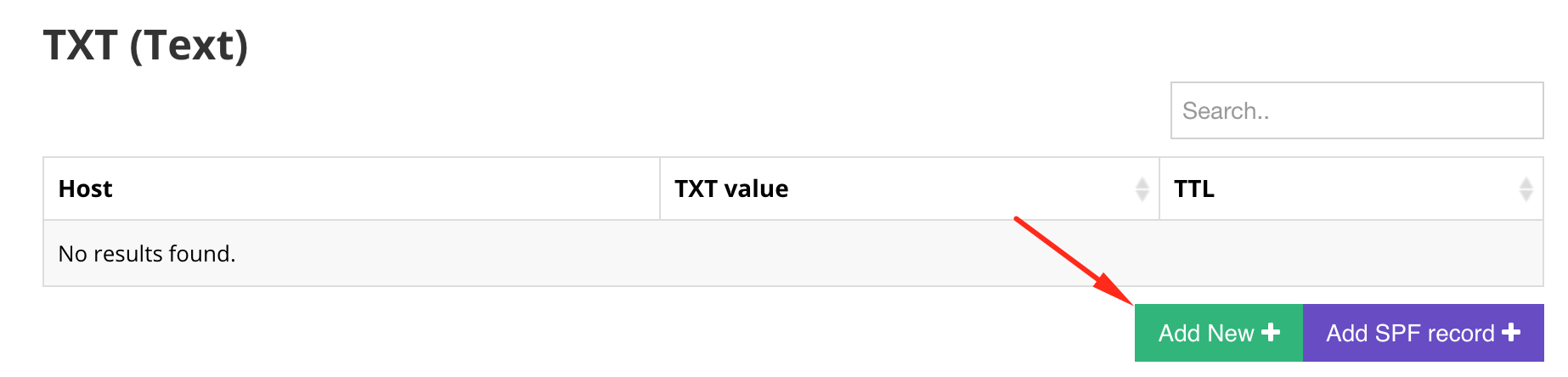
NOTE: when you update your Domains DNS zone you should wait up to 24 hours until the change is fully propagated, although it should start working in just a couple of hours.


Was this answer helpful?

Related Articles

Can DNS clustering be enabled? DNS clustering cannot be enabled on a shared hosting server since it requires significant... How many MX records I can have? You can add as many MX records as you wish, however, it's highly recommended to keep an eye out... When can I see changes in my domain if I just edited my DNS records? If you just edited or added a new record in your Domain's DNS zone, you may need to wait up to 24... How to enable or add SPF records? To add an SPF record, you will need to navigate to your Control Panel's DNS Zone Editor section.... How to add SRV record to DNS zone? Your DNS zone records can be edited using the DNS Zone Editor on your website's Control Panel....
« Back

  Tag Cloud

wordpress

  Support

My Support Tickets
Announcements
Knowledgebase
Downloads
Network Status
Open Ticket
  • Contact Us
  • Terms of Service

Copyright © 2026 Site Hosting Club. All Rights Reserved.


Loading...
Loading...
Choose language
العربية
Azerbaijani
Català
中文
Hrvatski
Čeština
Dansk
Nederlands
English
Estonian
Persian
Français
Deutsch
עברית
Magyar
Italiano
Macedonian
Norwegian
Português
Português
Română
Русский
Español
Svenska
Türkçe
Українська

Choose Currency

₹ INR
$ USD

Generate Password

Please enter a number between 8 and 64 for the password length